



- Posts: 12115
- Thank you received: 519


The shoutbox is unavailable to non-members
Shoutbox History
 System
Auto message: A new forum post has been submitted. You can view the message here
55 minutes ago
Important, change your password!
Go here for further information: https://cgartnexus.com/index.php/forum/announcements/840-hacked
CGAN Dec25 -Gingerbread House - WIPs
29 Dec 2025 21:03 #56732
by Valence
Replied by Valence on topic CGAN Dec25 -Gingerbread House - WIPs
Hmm, I think the collision might be a bit buggy, unless it's me.
Had to tweak the plate mesh again to get it to "work" but the pointy cones are still jittering after 100 frames.
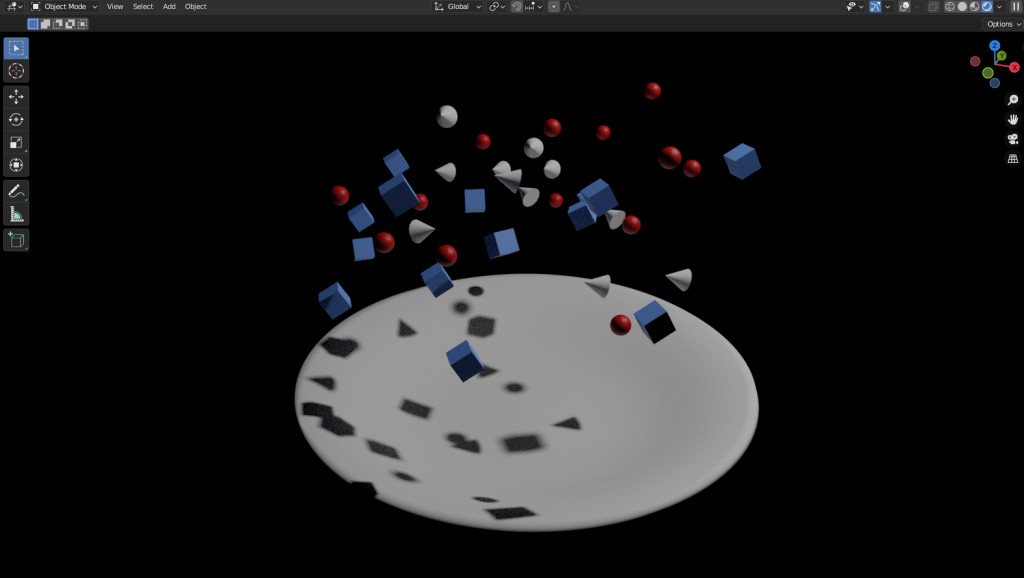
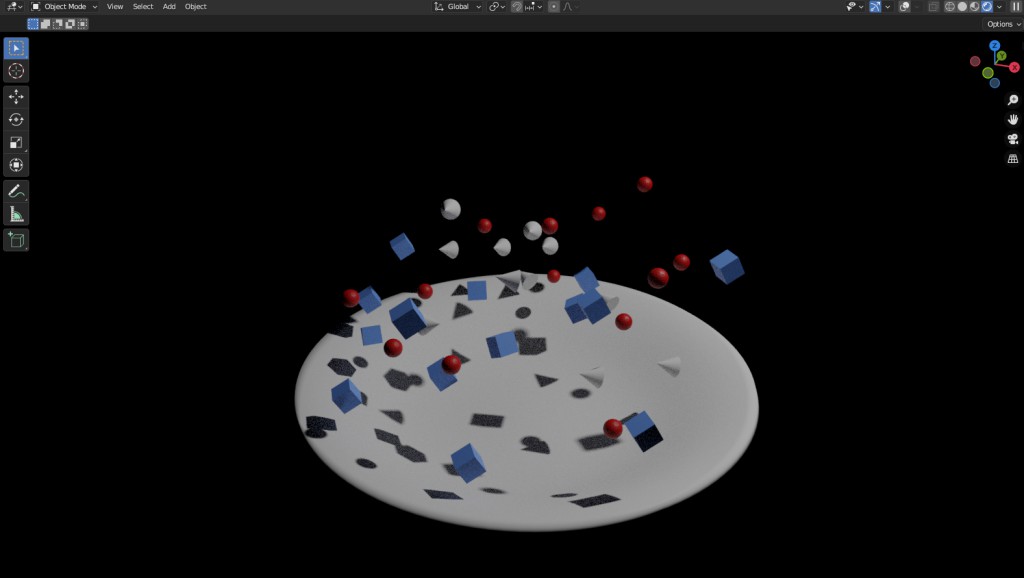
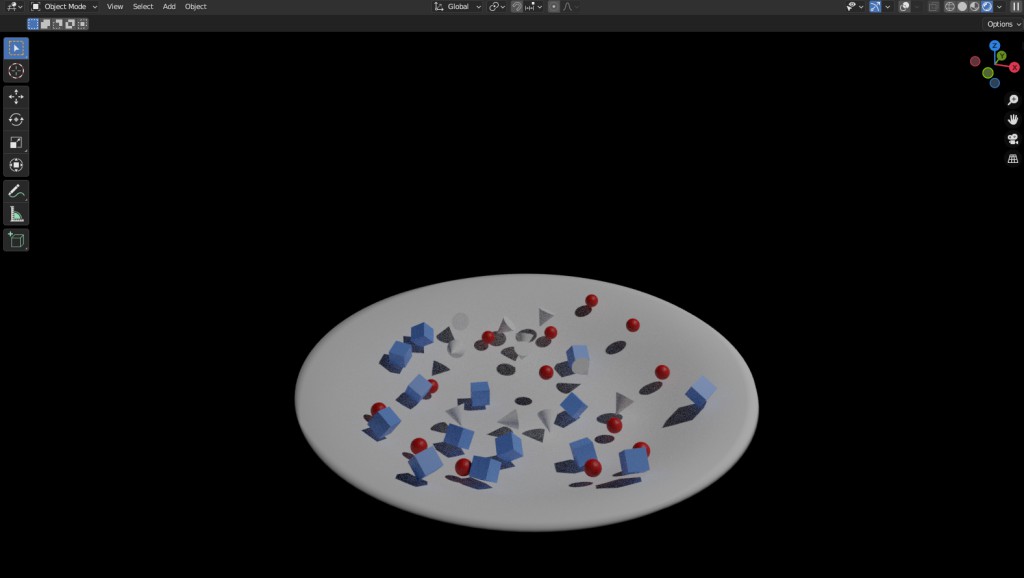
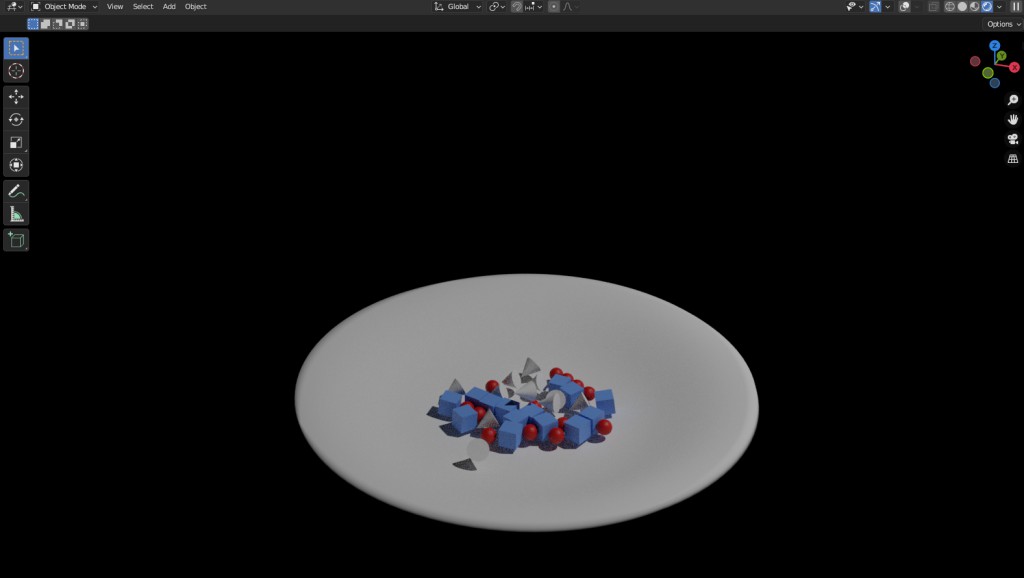
Had to tweak the plate mesh again to get it to "work" but the pointy cones are still jittering after 100 frames.
Please Log in or Create an account to join the conversation.
29 Dec 2025 21:13 - 29 Dec 2025 21:32 #56733
by Valence
Replied by Valence on topic CGAN Dec25 -Gingerbread House - WIPs
Go into the physics tab over here. (You may need to give one object a collision modifier first. Or maybe you don't)
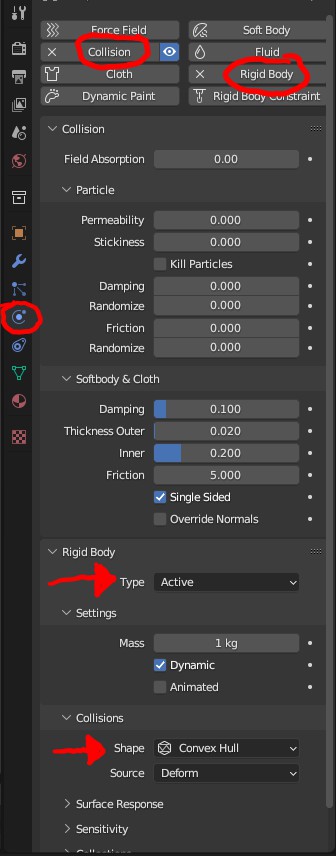
At the top make sureCollision (see edit) and Rigid Body are selected for every object you want in the sim.
Further down, set the Rigid Body to Active if the object is gonna move and if it's not gonna move (like the plate) set it to passive.
Below that is the Collision settings.
I've got it working by having the moving things set to Convex Hull and the plate is set to Mesh.
Play about with it and see what happens.
Click the Play button below the viewport window to start the sim and make sure you pause it when its done cos it'll keep on running.
EDIT: Apparently you don't have to click collision at the top or add a modifier. That's a different thing that's obviously confused me.
At the top make sure
Further down, set the Rigid Body to Active if the object is gonna move and if it's not gonna move (like the plate) set it to passive.
Below that is the Collision settings.
I've got it working by having the moving things set to Convex Hull and the plate is set to Mesh.
Play about with it and see what happens.
Click the Play button below the viewport window to start the sim and make sure you pause it when its done cos it'll keep on running.
EDIT: Apparently you don't have to click collision at the top or add a modifier. That's a different thing that's obviously confused me.
Last edit: 29 Dec 2025 21:32 by Valence.
Please Log in or Create an account to join the conversation.


29 Dec 2025 21:15 #56734
by Banj
Replied by Banj on topic CGAN Dec25 -Gingerbread House - WIPs
The scale of the meshes can make a difference, making things larger can help.
Please Log in or Create an account to join the conversation.
29 Dec 2025 21:23 #56735
by Valence
Replied by Valence on topic CGAN Dec25 -Gingerbread House - WIPs
And now it just crashed on me. 
Please Log in or Create an account to join the conversation.
29 Dec 2025 21:25 #56736
by Banj
 If I have to kill that clown again...

Replied by Banj on topic CGAN Dec25 -Gingerbread House - WIPs
My game crashed at the same timeAnd now it just crashed on me.
Please Log in or Create an account to join the conversation.

29 Dec 2025 22:06 - 29 Dec 2025 22:07 #56737
by Charlotte

I uh... think I'll just save all that for another month. I mean... I added hundreds of small pieces with the particle modifier - and several types for each "layer" in the bowl. I've no idea how to make those into "lose" objects that can follow gravity. Plus I have invisible layers in the bowl to which they're all attached as well, which would have to be removed. and then I'd remove the particles too and then... I'd have nothing anyway.
Edit/PS I haven't even applied the modifiers/particle thingies. Not sure I need to or should or what difference it makes...
Any an all misspellings are henceforth blamed on the cats.
Replied by Charlotte on topic CGAN Dec25 -Gingerbread House - WIPs
I uh... think I'll just save all that for another month. I mean... I added hundreds of small pieces with the particle modifier - and several types for each "layer" in the bowl. I've no idea how to make those into "lose" objects that can follow gravity. Plus I have invisible layers in the bowl to which they're all attached as well, which would have to be removed. and then I'd remove the particles too and then... I'd have nothing anyway.
Edit/PS I haven't even applied the modifiers/particle thingies. Not sure I need to or should or what difference it makes...
Any an all misspellings are henceforth blamed on the cats.
Last edit: 29 Dec 2025 22:07 by Charlotte.
Please Log in or Create an account to join the conversation.
30 Dec 2025 16:11 - 30 Dec 2025 16:13 #56738
by Charlotte
Any an all misspellings are henceforth blamed on the cats.
Replied by Charlotte on topic CGAN Dec25 -Gingerbread House - WIPs
Why are the cubes not cubing!?
Edit: It's all good. They're cubing now.
Edit: It's all good. They're cubing now.
Any an all misspellings are henceforth blamed on the cats.
Last edit: 30 Dec 2025 16:13 by Charlotte.
Please Log in or Create an account to join the conversation.
30 Dec 2025 23:15 #56744
by Charlotte
Any an all misspellings are henceforth blamed on the cats.
Replied by Charlotte on topic CGAN Dec25 -Gingerbread House - WIPs
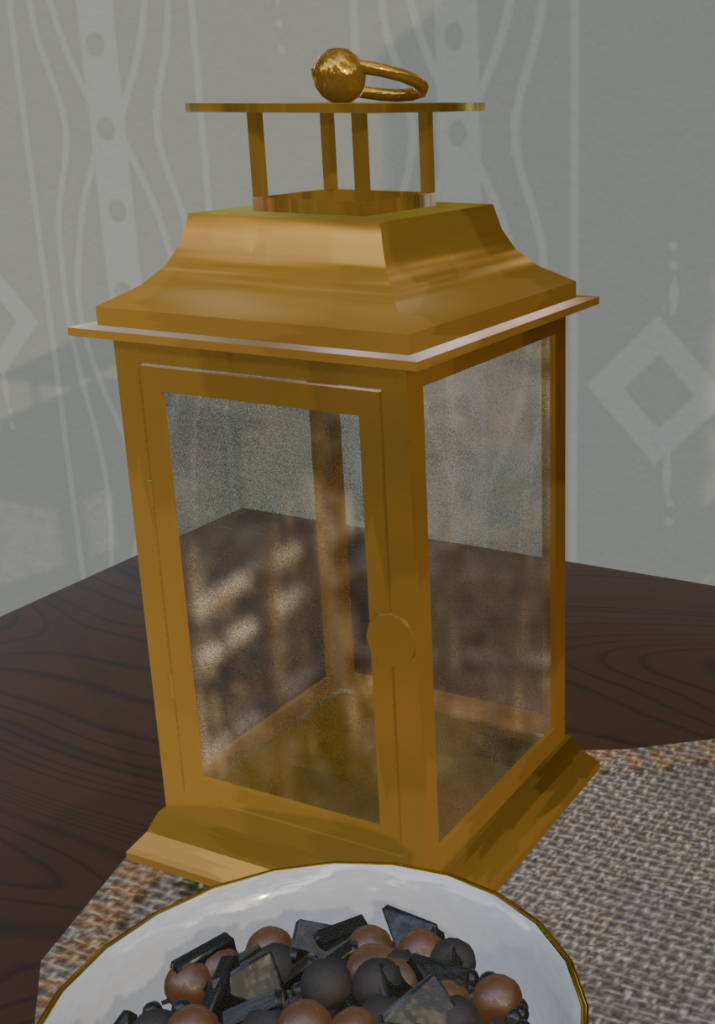
So like I said, I have sort of been working on the gingerbread tower...
Any an all misspellings are henceforth blamed on the cats.
Please Log in or Create an account to join the conversation.
31 Dec 2025 14:30 #56747
by Charlotte
Any an all misspellings are henceforth blamed on the cats.
Replied by Charlotte on topic CGAN Dec25 -Gingerbread House - WIPs
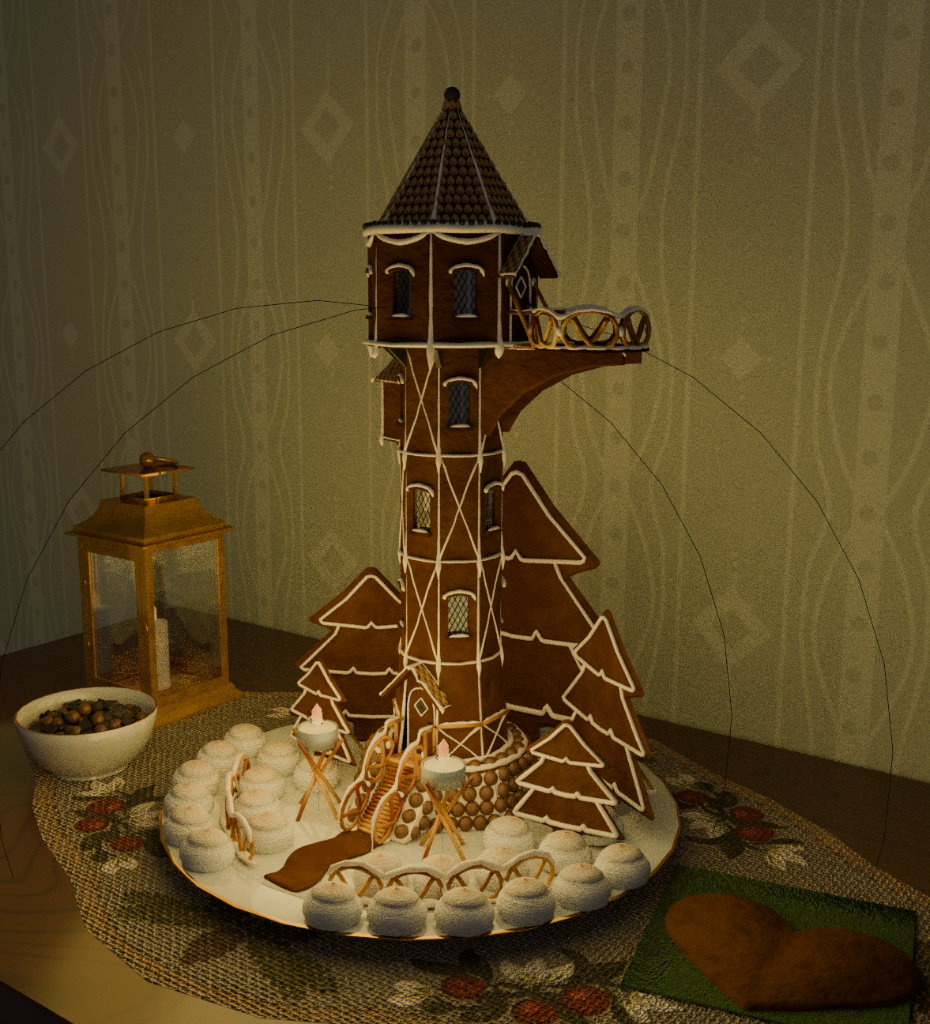
I guess I do need to learn to render or I will have silly light rings visible. 
So - how do I make an actual render? That doesn't take until tomorrow?
So - how do I make an actual render? That doesn't take until tomorrow?
Any an all misspellings are henceforth blamed on the cats.
Please Log in or Create an account to join the conversation.
31 Dec 2025 14:43 - 31 Dec 2025 14:49 #56748
by Valence
Replied by Valence on topic CGAN Dec25 -Gingerbread House - WIPs
Well clicking these two blue things should turn off all the overlay lines...
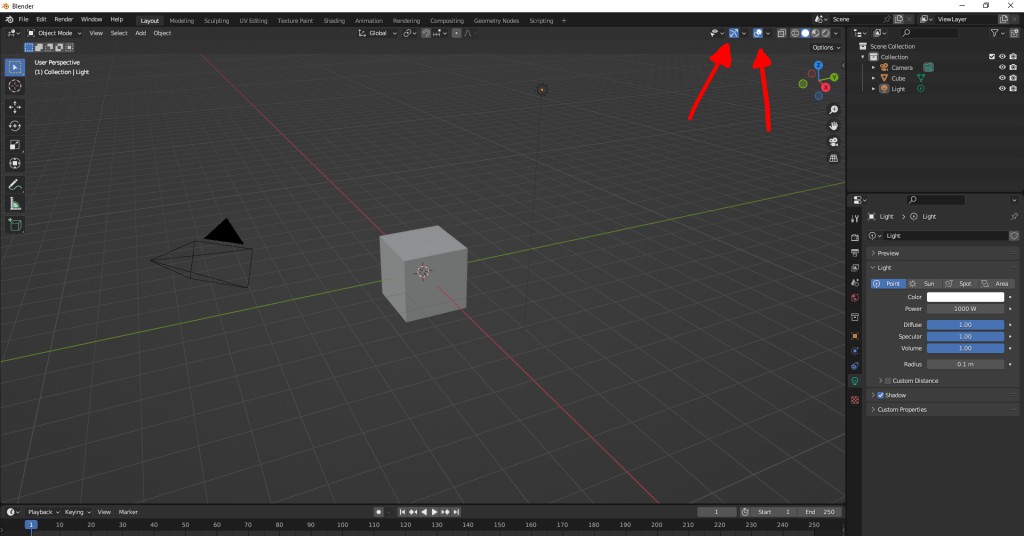
As for rendering, Point your camera at the scene, you can press zero on the numpad to see that camera view, and press F12 to render.
If you're using Eevee it'll only take a couple of minutes maximum, maybe less on your PC.
You can then use the menu options on the render screen to save. And click F11 to hide that render screen and go back to the normal Blender screen.
EDIT: My scene in Eevee renders in about 30 seconds.
Cycles, on the other hand can go on for however long you can tolerate it. It all depends on the number of samples in the render settings tab at the side. In the end I just put the time limit on it and let it cook for twenty minutes. Then the light flares and lens distortion were done with compositor nodes after rendering.
As for rendering, Point your camera at the scene, you can press zero on the numpad to see that camera view, and press F12 to render.
If you're using Eevee it'll only take a couple of minutes maximum, maybe less on your PC.
You can then use the menu options on the render screen to save. And click F11 to hide that render screen and go back to the normal Blender screen.
EDIT: My scene in Eevee renders in about 30 seconds.
Cycles, on the other hand can go on for however long you can tolerate it. It all depends on the number of samples in the render settings tab at the side. In the end I just put the time limit on it and let it cook for twenty minutes. Then the light flares and lens distortion were done with compositor nodes after rendering.
Last edit: 31 Dec 2025 14:49 by Valence.
The following user(s) said Thank You: Charlotte
Please Log in or Create an account to join the conversation.
Facebook Feed
Member Statistics
- Total Users: 228
- Latest User: DanielWilson
- Online Users: 3
- Users Today: 0
- Users this Week: 1
- Users this Month: 2
- Users this Year: 2
NOTE! This site uses cookies and similar technologies.
By using this website you agree to the use of cookies and related data storage as detailed in our privacy policy. Learn more
I understand
Site design Mad Hamster Studios. All content is protected under © and the property of the various contributers and not to be reproduced without permission of the creator.