




- Posts: 12102
- Thank you received: 517


The shoutbox is unavailable to non-members
Important, change your password!
Go here for further information: https://cgartnexus.com/index.php/forum/announcements/840-hacked
General Scribbles
07 Dec 2020 12:47 #32575
by Valence
Replied by Valence on topic General Scribbles
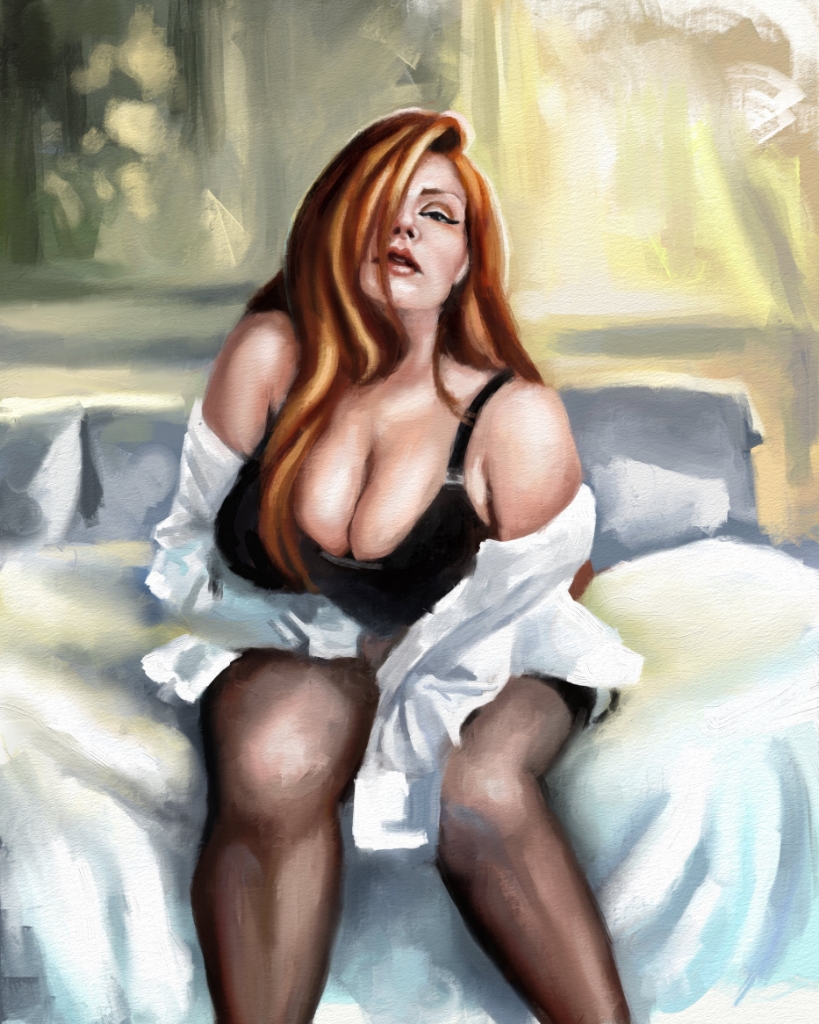
A later-than-late late thingy rushed before it became even later...
Please Log in or Create an account to join the conversation.


09 Dec 2020 23:04 #32589
by Charlotte
Any an all misspellings are henceforth blamed on the cats.
Replied by Charlotte on topic General Scribbles
I thought I'd do "a couple of quick ones" - but they seemed much easier in my head. So... I made half-a-one?
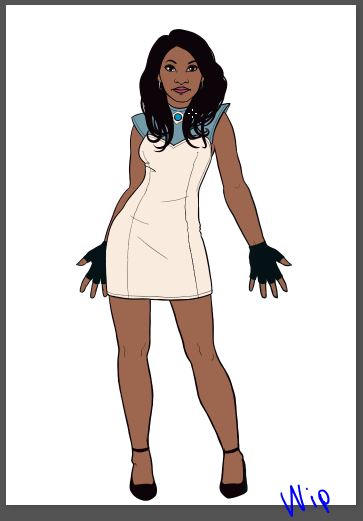
Well, it's something. Which is better than nothing. Today's mostly just.... passed by without my managing to do anything. Except give myself a headache... And look at that! It's not even today anymore!
Well, it's something. Which is better than nothing. Today's mostly just.... passed by without my managing to do anything. Except give myself a headache... And look at that! It's not even today anymore!
Any an all misspellings are henceforth blamed on the cats.
Please Log in or Create an account to join the conversation.
09 Dec 2020 23:13 #32590
by Valence
Replied by Valence on topic General Scribbles
Much better than nothing. 
It feels like she's overtly displaying her hands to mock me.
"Here they are. Paint them!!"
(There was a hand in the ref of my last one down at the bottom but I guess it just.... dropped off.)
It feels like she's overtly displaying her hands to mock me.
"Here they are. Paint them!!"
(There was a hand in the ref of my last one down at the bottom but I guess it just.... dropped off.
) Please Log in or Create an account to join the conversation.
10 Dec 2020 00:00 #32591
by Charlotte
Any an all misspellings are henceforth blamed on the cats.
Replied by Charlotte on topic General Scribbles
Thank you but I'm not sure those hands count. They were made with the paint symmetry tool and she's got black gloves to cover almost everything :p
Any an all misspellings are henceforth blamed on the cats.
Please Log in or Create an account to join the conversation.
10 Dec 2020 11:20 - 10 Dec 2020 11:22 #32594
by Atto
No smudge tool was harmed in the making of this image.
Replied by Atto on topic General Scribbles
I don’t think the missing hand is an issue to be honest Val (well not for the viewer anyhow, she may have other ideas). I just assumed it was hidden within her shirt.
There’s a great silhouette there Charlotte, still hugely envious of your line work.
I’m still working on my two commissions. Luckily neither client has shouted at me that it’s taking too long (yet).
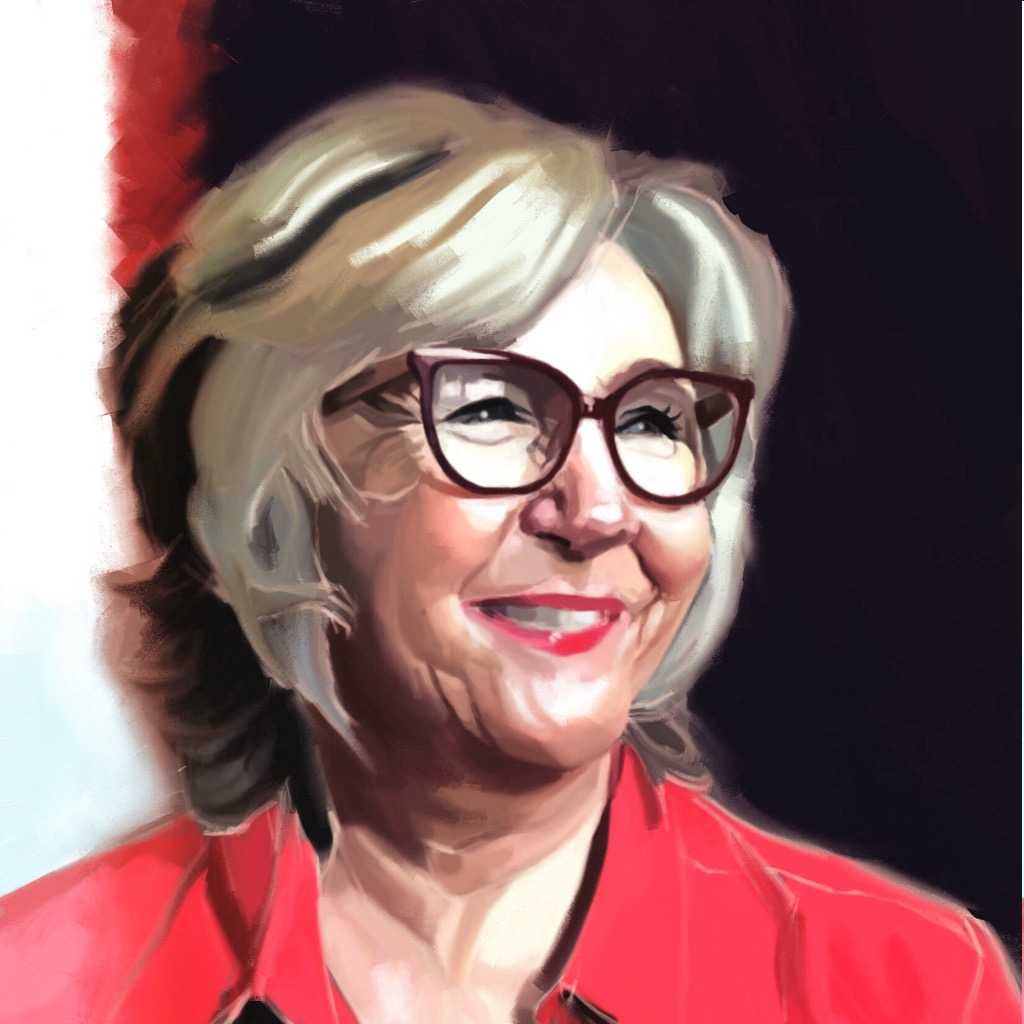
I did spend a few hours on Sunday with Lesley Garrett and Tom Croft for PAOTW.
I began with my normal software and then exported it to Artrage to try out the oil brushes and the pallete knife in a vain attempt to get that painterly effect that I’m so desperate to learn how to do.
The result is a little too contrasty for my eye and there’s some issues with the overly aggressive wrinkles but there are parts of it I like and I felt very artsy blending those colours together.
There’s a great silhouette there Charlotte, still hugely envious of your line work.
I’m still working on my two commissions. Luckily neither client has shouted at me that it’s taking too long (yet).
I did spend a few hours on Sunday with Lesley Garrett and Tom Croft for PAOTW.
I began with my normal software and then exported it to Artrage to try out the oil brushes and the pallete knife in a vain attempt to get that painterly effect that I’m so desperate to learn how to do.
The result is a little too contrasty for my eye and there’s some issues with the overly aggressive wrinkles but there are parts of it I like and I felt very artsy blending those colours together.
No smudge tool was harmed in the making of this image.
Last edit: 10 Dec 2020 11:22 by Atto.
Please Log in or Create an account to join the conversation.
10 Dec 2020 11:32 #32595
by Charlotte
Any an all misspellings are henceforth blamed on the cats.
Replied by Charlotte on topic General Scribbles
I think the wrinkles look fine - really good in fact. Perhaps you just need to take a step back and then you'll see it too 
The only thing I'd change is the teeth - they look very blurry right now. Maybe a darker edge on the lips against the teeth, too?
The only thing I'd change is the teeth - they look very blurry right now. Maybe a darker edge on the lips against the teeth, too?
Any an all misspellings are henceforth blamed on the cats.
The following user(s) said Thank You: Atto
Please Log in or Create an account to join the conversation.
10 Dec 2020 15:45 #32598
by Valence
If you're still switching between software then you might want to experiment doing it the other way by starting loose in ArtRage and then tightening up in software you're comfortable with.
When you import into ArtRage you get all the colour and value but the imported image doesn't have any "paint" information about wetness or thickness so they don't always blend as satisfyingly as something that was started in ArtRage.
Another trick you can do is to create a layer underneath the imported image and lay some paint on this. This is a good way to create impasto texture effects without messing up the colours and details as the thickness of the paint below shows through. Then if you want to you can flatten it down and the imported layer "inherits" the paint thickness below and will blend a little differently.
And one thing to remember is that when you repeatedly export and import a single pic with ArtRage it will gradually darken the image as the textured canvas lighting gets "baked" into the colour information when you export and is then added again if re-imported.
It's not an issue if you're only exporting once but if you export from ArtRage with the intent of bringing it back then you should temporarily turn off the canvas lighting by pressing F5 just before you export.
Also experiment with different paper/canvas textures and grain sizes. That pic looks like one of the basic papers that have very little grain and they blend in a very smooth and slippery way with the palette knife. Using something like the Essential Canvas will give a much more textured effect to the blends.
Terrific painting, by the way. You've really captured the likeness and expression in the eyes and that part of her personality is very recognisable here.
Replied by Valence on topic General Scribbles
Atto wrote: I began with my normal software and then exported it to Artrage...
If you're still switching between software then you might want to experiment doing it the other way by starting loose in ArtRage and then tightening up in software you're comfortable with.
When you import into ArtRage you get all the colour and value but the imported image doesn't have any "paint" information about wetness or thickness so they don't always blend as satisfyingly as something that was started in ArtRage.
Another trick you can do is to create a layer underneath the imported image and lay some paint on this. This is a good way to create impasto texture effects without messing up the colours and details as the thickness of the paint below shows through. Then if you want to you can flatten it down and the imported layer "inherits" the paint thickness below and will blend a little differently.
And one thing to remember is that when you repeatedly export and import a single pic with ArtRage it will gradually darken the image as the textured canvas lighting gets "baked" into the colour information when you export and is then added again if re-imported.
It's not an issue if you're only exporting once but if you export from ArtRage with the intent of bringing it back then you should temporarily turn off the canvas lighting by pressing F5 just before you export.
Also experiment with different paper/canvas textures and grain sizes. That pic looks like one of the basic papers that have very little grain and they blend in a very smooth and slippery way with the palette knife. Using something like the Essential Canvas will give a much more textured effect to the blends.
Terrific painting, by the way. You've really captured the likeness and expression in the eyes and that part of her personality is very recognisable here.
The following user(s) said Thank You: Atto
Please Log in or Create an account to join the conversation.
10 Dec 2020 17:07 #32599
by Atto
No smudge tool was harmed in the making of this image.
Replied by Atto on topic General Scribbles
Thanks both,
That’s a lot of info Val, thanks very much. I must admit my original sketch was on a single layer that then made it really difficult to edit in Rage.
Will try to pay attention next time.
I started in PSP as I’m more comfortable drawing in it and I can work on a larger canvas, which reminds me;
Artrages tools don’t seem to scale up very large. If I work on a 20cm canvas at 300 dpi the largest even the roller brush goes is about a 20th of my canvas.
I know I work very big but that’s a hangover from my design for print days.
Is there a way to scale the brushes further or do you know how the textures look if I export and enlarge in PSP? I’m concerned they’ll look pixelated.
I could check myself but still working on commissions every waking hour that I’m not at work, sorry.
That’s a lot of info Val, thanks very much. I must admit my original sketch was on a single layer that then made it really difficult to edit in Rage.
Will try to pay attention next time.
I started in PSP as I’m more comfortable drawing in it and I can work on a larger canvas, which reminds me;
Artrages tools don’t seem to scale up very large. If I work on a 20cm canvas at 300 dpi the largest even the roller brush goes is about a 20th of my canvas.
I know I work very big but that’s a hangover from my design for print days.
Is there a way to scale the brushes further or do you know how the textures look if I export and enlarge in PSP? I’m concerned they’ll look pixelated.
I could check myself but still working on commissions every waking hour that I’m not at work, sorry.
No smudge tool was harmed in the making of this image.
Please Log in or Create an account to join the conversation.

10 Dec 2020 17:14 #32600
by Banj
Replied by Banj on topic General Scribbles
You can overcrank the size of brushes in artrage beyond the 100% by clicking the percentage and typing in a size in the window that pops up (assuming they haven't made that easier in newer versions).
The following user(s) said Thank You: Atto
Please Log in or Create an account to join the conversation.
10 Dec 2020 17:36 - 10 Dec 2020 18:04 #32601
by Valence
Replied by Valence on topic General Scribbles
Yeah I oversize my brushes way over 100%. I have it set up to use the square brackets to enlarge brushes as that's what most software does (not sure if that's the ArtRage default or if I did that in Preferences  ) but you can also resize them by just holding shift and dragging the cursor on the canvas to make them as big as you like.
) but you can also resize them by just holding shift and dragging the cursor on the canvas to make them as big as you like.
Last edit: 10 Dec 2020 18:04 by Valence.
The following user(s) said Thank You: Atto
Please Log in or Create an account to join the conversation.
Facebook Feed
Member Statistics
- Total Users: 227
- Latest User: greenreleafdispensary
- Online Users: 0
- Users Today: 0
- Users this Week: 0
- Users this Month: 1
- Users this Year: 1
NOTE! This site uses cookies and similar technologies.
By using this website you agree to the use of cookies and related data storage as detailed in our privacy policy. Learn more
I understand
Site design Mad Hamster Studios. All content is protected under © and the property of the various contributers and not to be reproduced without permission of the creator.