


- Posts: 2247
- Thank you received: 163


October Challenge: Horror rework
September entries: Legend
Important, change your password!
Go here for further information: https://cgartnexus.com/index.php/forum/announcements/840-hacked
Image darkens when using 'Save for web & devices'
- Digital Dave
-
 Topic Author
- Offline
- Platinum Member
-

Less
More
15 Jul 2014 14:46 - 15 Jul 2014 14:49 #2993
by Digital Dave
I get sketchy around pencils! ...
Image darkens when using 'Save for web & devices' was created by Digital Dave
Ok, so I figured to add this information here in case it's helpful to others who may have had this issue happen to them, or if they happen to come across it. This is using Photoshop CS4, so I'm not sure if other version will do the same?
A few years ago on the IFX site this started happening to me, and it drove me crazy trying to figure out what was causing it. And last night it started happening once again, but I figured out the cause this time. - The attached examples below are of an image I've been playing around with for the past few days, which I'm also working up in grayscale. Until last night the saved images always looked as they did on my computer, but then I noticed the last one was darker than it should be. Not sure why or how I did this, but apparently the image mode was switched over to grayscale, and I had been working in RGB color mode up until then. Just not using colors yet. (this may have happened while fooling with another pic at the same time?) Either way, after some testing, this is indeed the cause of the saved image being darker than it should be. I don't know what causes this, or if there are setting to make the adjustment if needed. But if you happen to use the 'Save for web & devices, and you image is noticeably darker then it should be, simply check to make sure it's not in grayscale mode. If so, simply switch it over to RGB mode, and the saved image should be fine.
Hope this information is helpful.
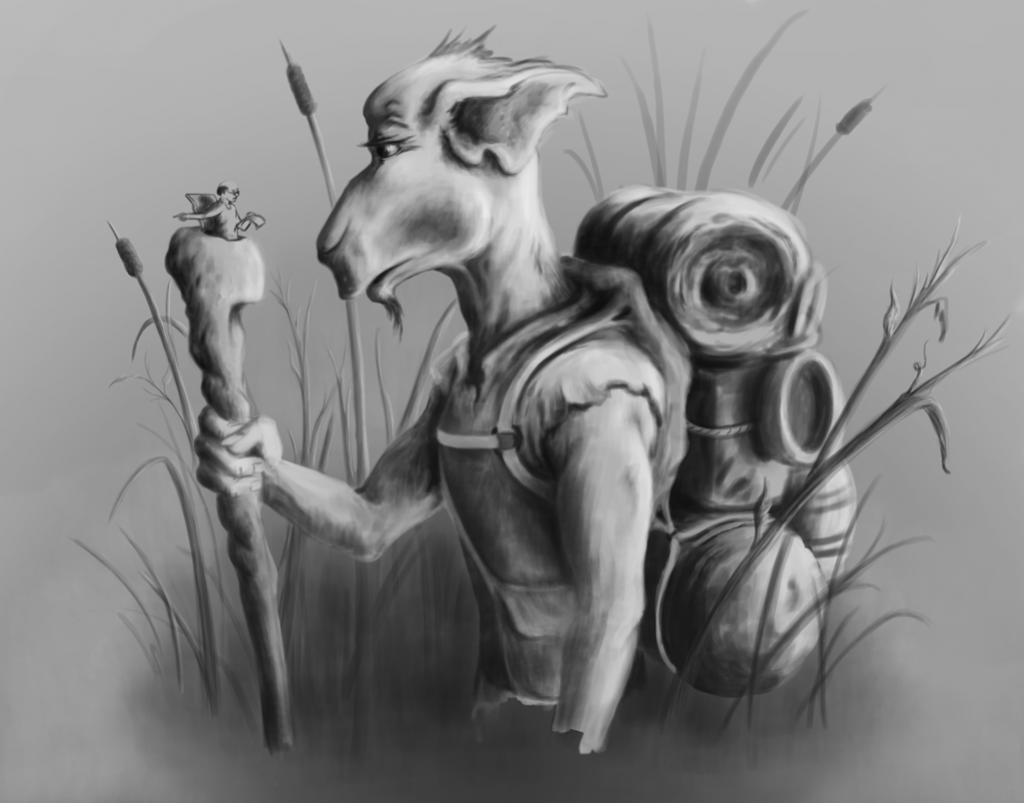
First image, saved in RGB mode, and looks as it should.
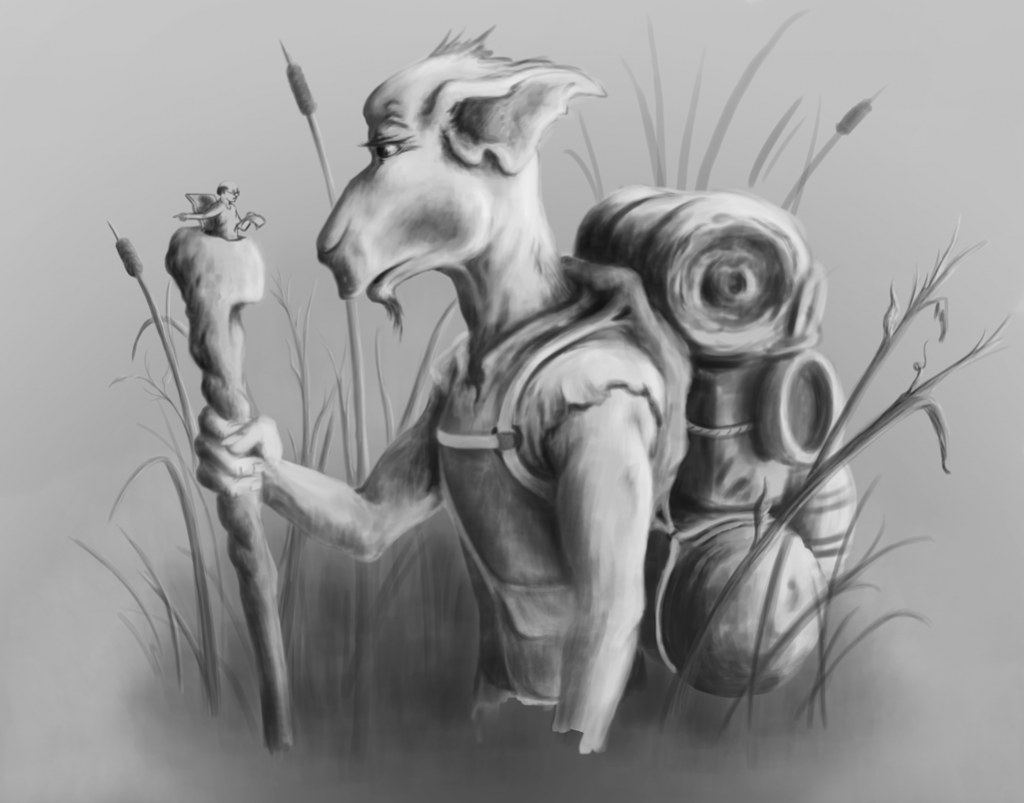
Second image, saved in Grayscale mode, which has darkened the image more.
A few years ago on the IFX site this started happening to me, and it drove me crazy trying to figure out what was causing it. And last night it started happening once again, but I figured out the cause this time. - The attached examples below are of an image I've been playing around with for the past few days, which I'm also working up in grayscale. Until last night the saved images always looked as they did on my computer, but then I noticed the last one was darker than it should be. Not sure why or how I did this, but apparently the image mode was switched over to grayscale, and I had been working in RGB color mode up until then. Just not using colors yet. (this may have happened while fooling with another pic at the same time?) Either way, after some testing, this is indeed the cause of the saved image being darker than it should be. I don't know what causes this, or if there are setting to make the adjustment if needed. But if you happen to use the 'Save for web & devices, and you image is noticeably darker then it should be, simply check to make sure it's not in grayscale mode. If so, simply switch it over to RGB mode, and the saved image should be fine.
Hope this information is helpful.
First image, saved in RGB mode, and looks as it should.
Second image, saved in Grayscale mode, which has darkened the image more.
I get sketchy around pencils! ...
Last edit: 15 Jul 2014 14:49 by Digital Dave.
Please Log in or Create an account to join the conversation.


15 Jul 2014 20:42 #3017
by Stuart
Replied by Stuart on topic Image darkens when using 'Save for web & devices'
Thanks man. 
Please Log in or Create an account to join the conversation.
Facebook Feed
Member Statistics
- Total Users: 228
- Latest User: DanielWilson
- Online Users: 3
- Users Today: 0
- Users this Week: 0
- Users this Month: 0
- Users this Year: 2
NOTE! This site uses cookies and similar technologies.
By using this website you agree to the use of cookies and related data storage as detailed in our privacy policy. Learn more
I understand
Site design Mad Hamster Studios. All content is protected under © and the property of the various contributers and not to be reproduced without permission of the creator.